SwiftCut Case Study: Building an AI Video Tool on VOST
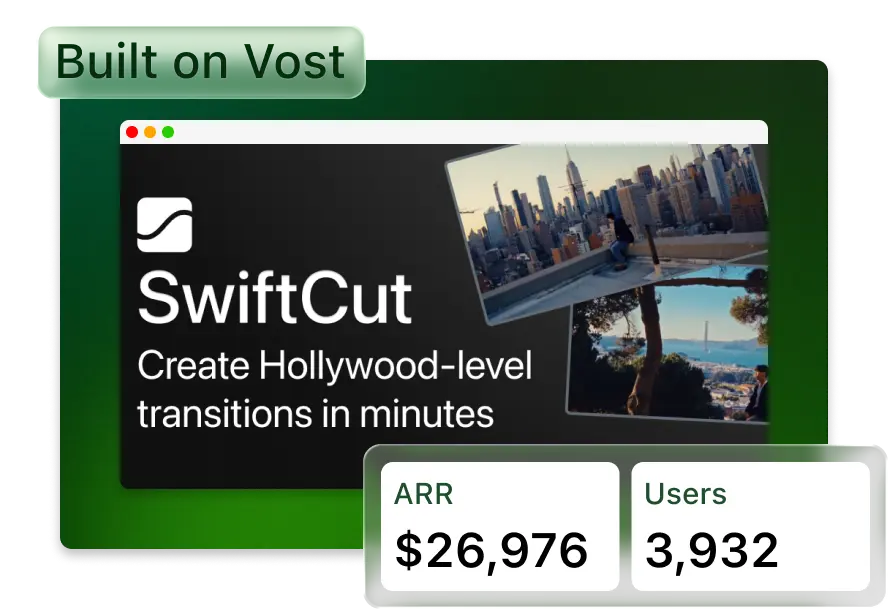
SwiftCut is a focused AI video tool from Edmund Tian that turns two still frames into a clean cinematic transition. Users upload a start frame and an end frame, then SwiftCut generates the motion between them: a drone-style move, a shot transition, or another polished clip that can sit between two scenes.
Total revenue
$8K
ARR
$26K+
The product works because the promise is narrow and easy to understand: stop treating AI video as an open-ended prompt box and sell one useful outcome. The SwiftCut landing page positions that outcome as Hollywood-level transitions in minutes, with the core flow reduced to upload, generate, and download.
What SwiftCut does
SwiftCut is built for creators, filmmakers, marketers, and teams that already have two visual moments and need a convincing movement between them. Instead of outsourcing VFX work or manually editing a transition, the user uploads the first frame and the last frame. SwiftCut generates the in-between video asset.
- The user uploads a start frame and an end frame.
- The tool generates a transition video that moves cleanly between the two frames.
- The best use cases are cinematic transitions, drone-style moves, VFX-style linking shots, and social video examples.
How it was built on VOST
SwiftCut was built as a VOST tool rather than a one-off app. That matters because the production pieces are already part of the platform: hosted pages, user sessions, secure media handling, creator billing, usage tracking, and a workflow builder that connects user inputs to model execution.
In VOST terms, SwiftCut is a strong example of a productized workflow. The app needs two image inputs, a generation step that understands the first frame and tail frame, a result page for the generated MP4, and subscription access. VOST handles the app shell around that workflow so the creator can focus on the examples, prompt behavior, pricing, and distribution.
The model setup
The public marketing example labels the transition output as Kling 2.1. That model choice matches the job SwiftCut is selling: image-to-video generation from a starting frame and ending frame, with the model producing the motion between them. The important product decision is not just using a strong video model, but wrapping it in a constrained interface where users know exactly what to upload and what they will get back.
How pricing is set up
SwiftCut uses monthly subscriptions with credit allowances and clear transition-video limits. That is the right shape for an AI video tool because every generation has a real model cost, and credits give the creator a clean way to control usage while still selling plans in customer-friendly bundles.
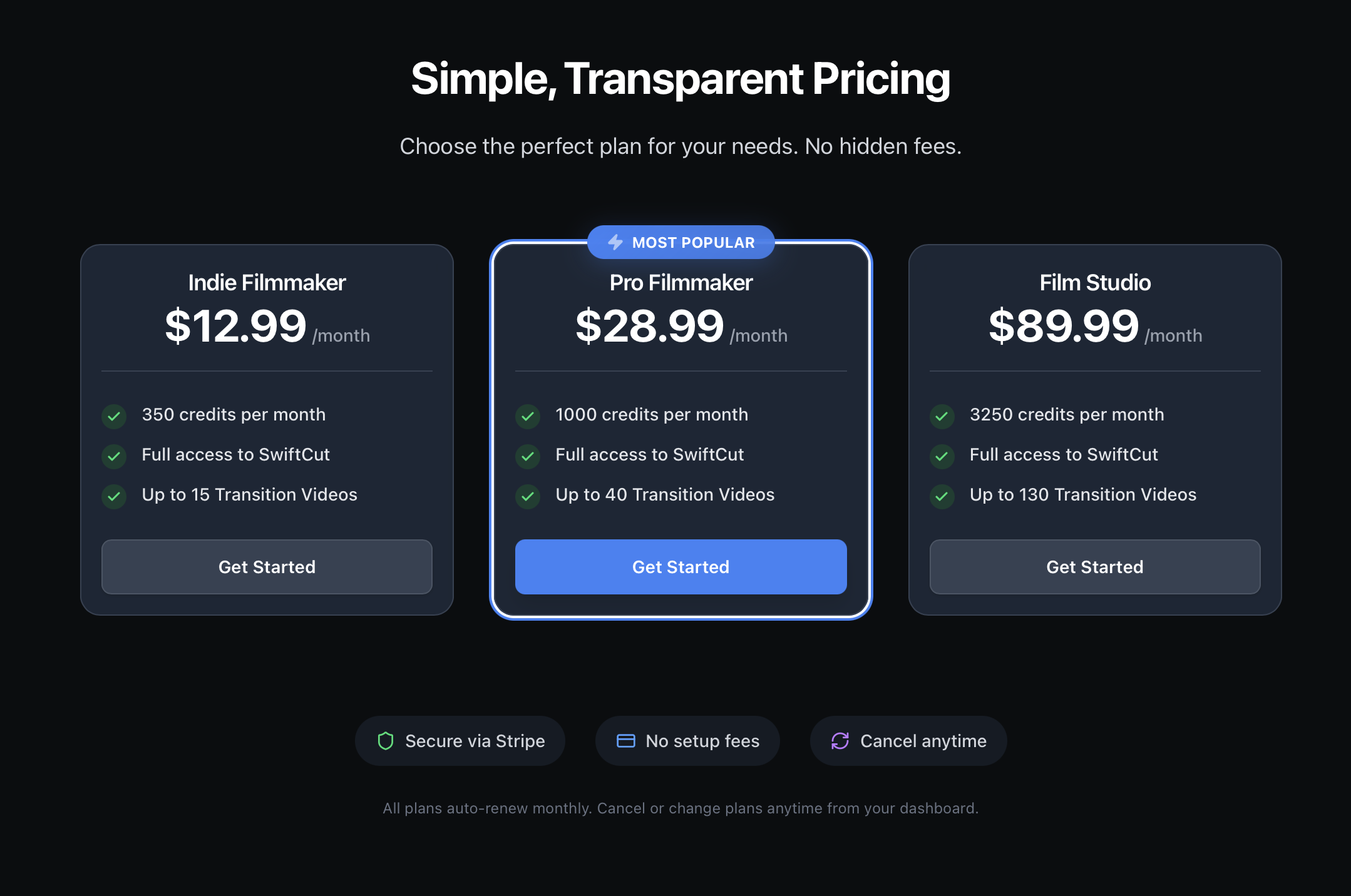
The pricing page also keeps the buyer risk low: it presents the plans as secure via Stripe, with no setup fees, monthly auto-renewal, and the ability to cancel or change plans from the dashboard.
How SwiftCut is being marketed
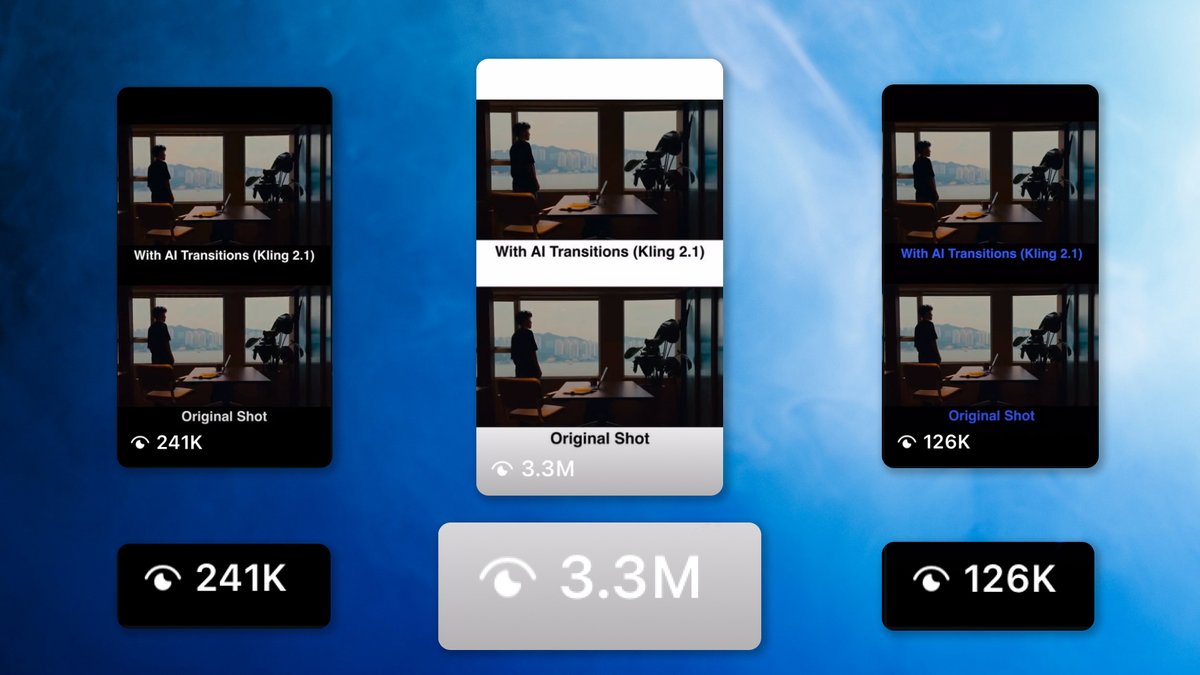
The marketing method is simple: Edmund Tian uses his Instagram account to post short videos showing the exact output SwiftCut can create. The examples compare the original shot with the AI transition and make the value obvious in seconds.
That is the playbook worth copying: build a narrow AI tool, generate proof with the tool itself, then distribute that proof in the format your target users already watch. In the examples provided, SwiftCut posts reached view counts like 126K, 241K, and 3.3M. The content is not a product tour. It is the result, shown directly.
Build your own VOST
SwiftCut is one example of what happens when a focused AI workflow gets packaged with payments, accounts, hosting, and a clear landing page. Start with one valuable outcome, turn it into a tool, prove it with examples, and launch it as a VOST.